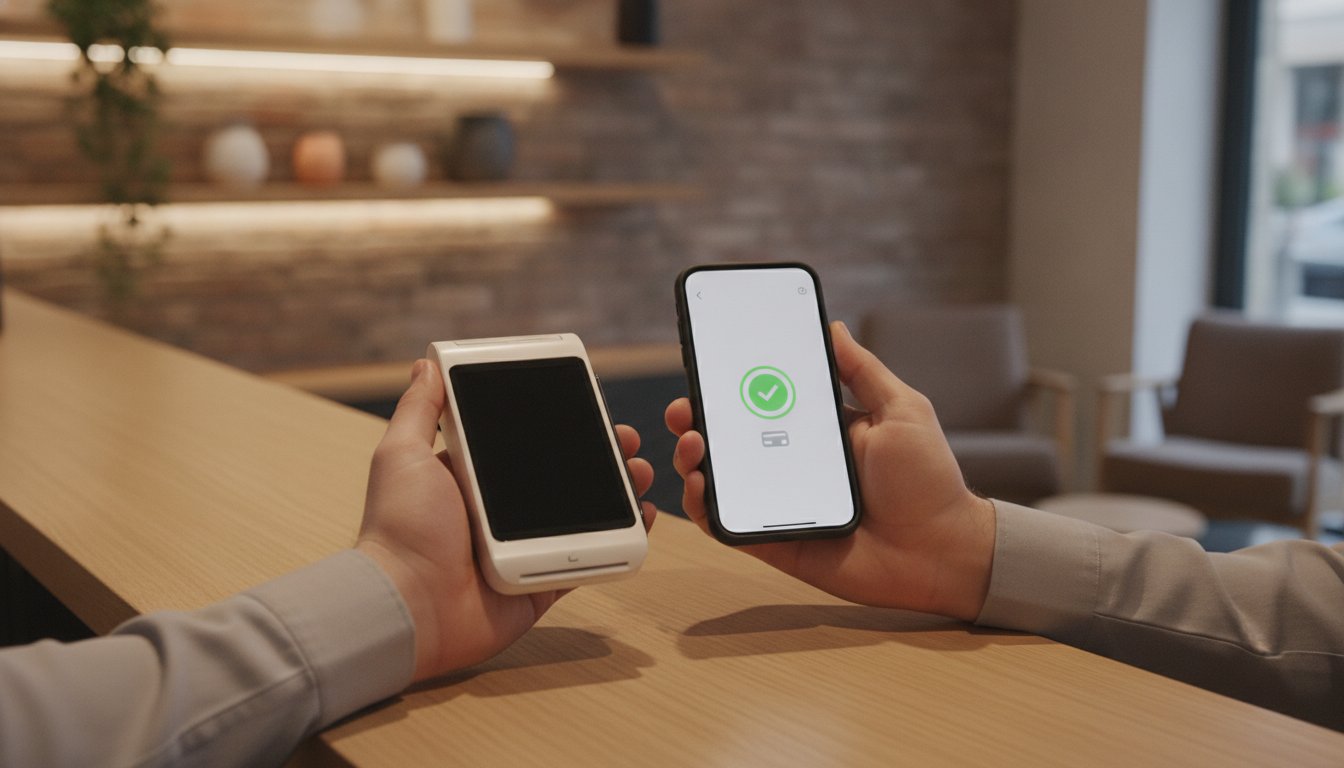
Imagine it is a busy Saturday afternoon and your shop is full of customers. A shopper reaches for their card, but your terminal screen remains stubbornly blank. As the queue grows, the atmosphere shifts from lively to uncomfortable. You are suddenly faced with the reality of what happens if a card machine breaks during your peak trading hours. It is a stressful moment that can lead to lost revenue and awkward conversations with frustrated diners or shoppers.
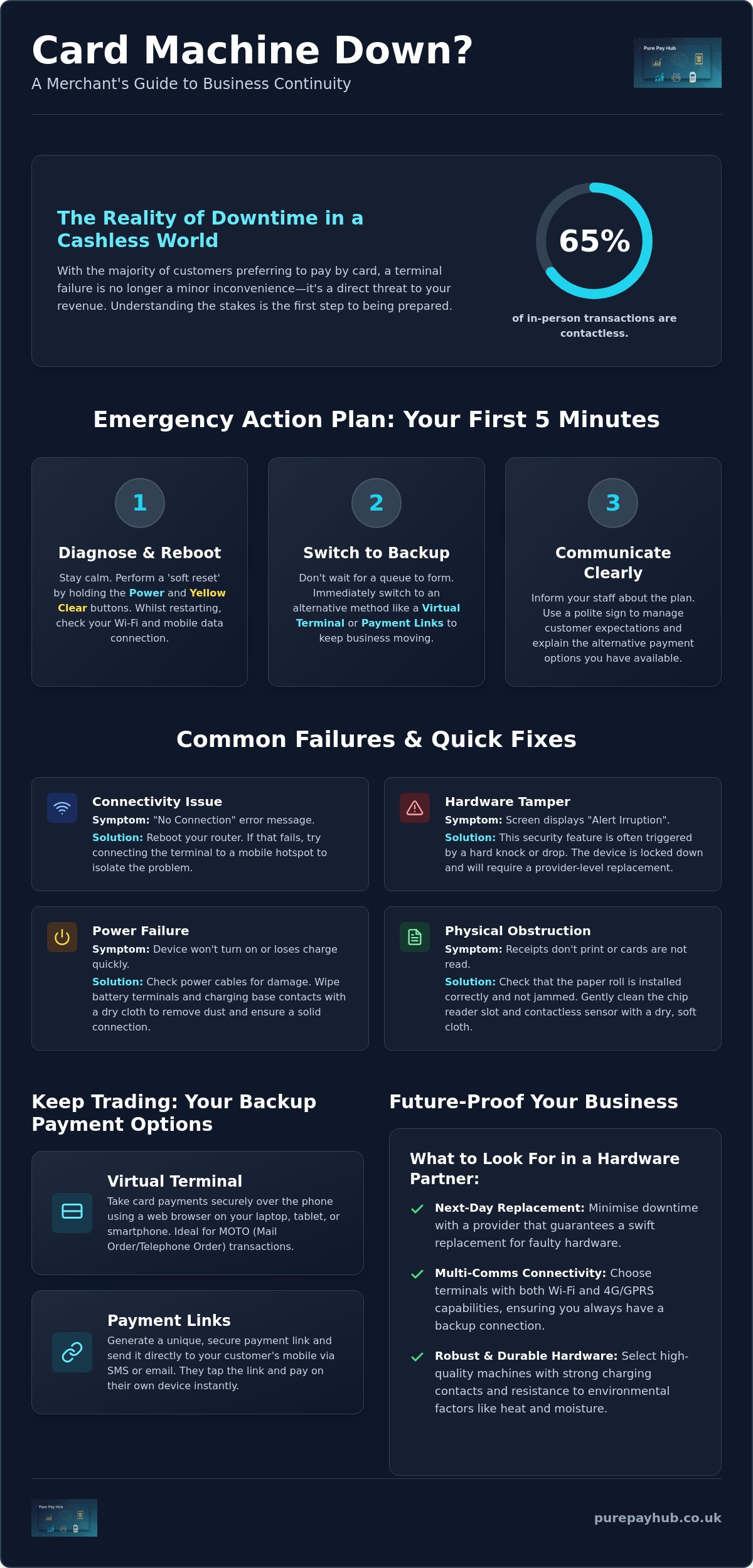
We understand that hardware failure feels like a direct threat to your livelihood. With contactless payments now making up over 65% of in-person transactions, a faulty device is more than a minor glitch. This guide will show you how to maintain your revenue and resolve technical failures quickly. You will discover immediate alternative payment methods, such as Payment Links or Virtual Terminals, to keep your business moving. We also provide clear troubleshooting steps to get you back online and explain how to choose a more reliable hardware partner to ensure your peace of mind.
Key Takeaways
- Learn the specific button combination required to perform a soft reset and clear common terminal errors instantly.
- Understand what happens if a card machine breaks and how to transition to a Virtual Terminal to process payments over the phone.
- Establish a clear professional procedure for handling diners who do not carry cash when your system is down.
- Recognise the hardware features, such as next-day replacement and multi-comms, that minimise the risk of long-term trade loss.
Immediate Steps: What to Do When Your Card Machine Fails
A hardware failure in the middle of a busy shift is a merchant’s nightmare. Your priority is to maintain trade while you investigate the cause. Don’t panic. If you appear stressed, your customers will feel anxious too. Instead, take a breath and follow a logical recovery process. Many business owners worry about what happens if a card machine breaks, fearing they’ll have to turn everyone away and lose a day’s takings. In reality, most issues are temporary and fixable within minutes.
Start with a ‘soft reset’. On most modern devices, you can do this by holding down the ‘Power’ button and the ‘Yellow Clear’ button simultaneously. This forces the software to reboot without wiping your settings. Whilst the unit restarts, check your router or mobile data signal. A lot of “broken” machines are actually just struggling with a dropped connection. If you’re using a mobile card machine, try switching between Wi-Fi and GPRS to see if the signal improves. Understanding what happens if a card machine breaks is the first step towards building a resilient business that can handle technical hiccups without stress.
If the reset doesn’t work, switch to a backup method immediately. Don’t let a queue form. You can use a Virtual Terminal on your tablet or send Payment Links to customers’ mobiles to keep the money flowing. Tell your staff exactly what is happening. This ensures they relay the same message to every diner or shopper, preventing confusion and maintaining a professional atmosphere. Consistent communication is the best way to keep your customers on your side during a technical fault.
Rapid Troubleshooting for Common Terminal Errors
Sometimes the issue is physical rather than digital. Look at the screen for an ‘Alert Irruption’ message. This usually means the internal security triggers have been tripped, often due to a drop or a hard knock. A Payment terminal is designed to be highly secure; if it thinks it’s being tampered with, it will lock down. Also, check the simple things. Ensure the paper roll isn’t jammed and that the sensor is clean. For portable units, wipe the battery terminals with a dry cloth to remove any dust that might be blocking the charge.
Communicating with Customers to Minimise Friction
Transparency builds trust. Place a polite sign at the centre of your counter or the entrance. This manages expectations before people reach the till. If a customer is particularly inconvenienced, offer a small discount or a free item. It’s a small price to pay to protect your reputation. Explain that you have alternative payment options available whilst you fix the issue. Most people are happy to use a payment link or wait an extra minute if you handle the situation with professional calm and clarity.
Understanding the Failure: Why Card Terminals Stop Working
When a terminal stops processing, it is often difficult to tell if the device is truly broken or just temporarily confused. Distinguishing between a physical hardware fault and a local network outage is the first step in your recovery. A business continuity plan should include a checklist to identify these differences quickly. If your terminal displays a “No Connection” message, the fault likely lies with your router or internet service provider rather than the unit itself. Conversely, if the screen is dead or the chip reader fails to recognise any card, you are likely facing a hardware issue.
Environmental factors also play a significant role in device longevity. High-heat environments, such as a professional kitchen, can cause internal components to expand and eventually fail. Similarly, moisture from damp counters or spillages can corrode delicate circuitry over time. Understanding what happens if a card machine breaks due to these factors helps you better position your equipment to avoid future downtime. If your terminal is constantly exposed to steam or grease, it will eventually require a provider-level replacement.
Hardware Faults vs. Connectivity Issues
Testing your device on a different network is the most effective way to rule out connectivity problems. If your Wi-Fi is down, try connecting your terminal to a mobile hotspot from your phone. If it processes the transaction successfully, your hardware is fine; your shop’s internet is the culprit. You should also inspect the charging base and power cables for visible wear. Frayed wires or bent pins in the charging port often lead to intermittent power loss, which merchants frequently mistake for a total system failure. Using a high-quality Portable Card Machine with robust charging contacts can mitigate these physical risks.
Software Glitches and Security Lockouts
Software is just as likely to cause a stoppage as hardware. Outdated firmware can lead to failed security “handshakes” between the terminal and the bank. This results in transaction approvals being blocked. As of March 31, 2025, PCI DSS v4.0 requirements became mandatory; many older terminals may lock out if they cannot meet these new security standards. You might also encounter ‘Pedal’ or ‘System’ errors on your screen. These are internal software flags that usually indicate the device’s encryption keys have been lost or corrupted. Understanding what happens if a card machine breaks involves recognising that security is paramount; in these cases, the machine will need to be re-imaged or replaced by your provider.
Business Continuity: Alternative Ways to Accept Payments
A broken physical terminal is a hurdle, not a dead end for your trade. It is a common misconception that your ability to take payments is tied solely to that single piece of plastic and silicon. Understanding what happens if a card machine breaks means knowing that your merchant account remains fully operational even when the hardware isn’t. You still have the authority to process transactions; you simply need a different interface to do so. Maintaining your revenue requires a shift from physical card-present transactions to digital alternatives that bypass the faulty unit entirely.
Your first line of defence is often your existing EPOS system. Most modern setups allow you to record ‘offline’ or cash transactions to ensure your inventory and accounting remain accurate whilst you resolve the hardware issue. For essential business-to-business sales, you might also implement a manual ‘fallback’ procedure, such as issuing a pro-forma invoice. However, for retail and hospitality, the goal is to keep the checkout process as seamless as possible for the customer. By using the digital tools already included in your merchant package, you can prevent walk-away customers and maintain a steady cash flow.
Utilising Secure Payment Links for Instant Settlement
Payment Links are a professional way to handle a hardware failure without sending customers to a distant ATM. You can generate a secure link via your provider’s dashboard and send it directly to the customer’s mobile via SMS or email. The shopper then completes the transaction on their own device. This method is highly effective because it supports Apple Pay and Google Pay, which are increasingly popular. By 2026, over 5.2 billion people are expected to use digital wallets. Offering this familiar interface ensures your business stays modern and resilient. You still benefit from secure settlement and next-day access to funds, exactly as you would with a physical terminal.
The Role of the Virtual Terminal in Emergencies
The Virtual Terminal acts as your digital backup. It is a web-based portal that you can access from any laptop, tablet, or smartphone. When a customer is standing at your counter and your machine fails, you can manually enter their card details into this secure interface. This is technically a ‘Card Not Present’ transaction, but it allows you to complete the sale immediately. It is a vital tool for what happens if a card machine breaks, as it maintains full PCI compliance whilst bypassing the broken hardware. You don’t need to install new software; you simply log in and keep trading. To find reliable backup hardware from HJS Technology Ltd, read more about their range of mobile devices. This ensures that a technical glitch never turns into a lost business opportunity.
Managing the ‘No Cash’ Scenario Professionally
Handling a customer who cannot pay cash when your digital systems fail requires a blend of legal knowledge and social tact. In a retail environment, the solution is simple: the goods remain on the shelf. However, in hospitality, the situation is more complex. Understanding what happens if a card machine breaks after a diner has already finished their meal is critical for protecting your revenue without damaging your reputation. You must manage these moments with a calm, principled approach that prioritises the customer relationship whilst ensuring the debt is settled.
Avoid the temptation to stick a scrawled “Card machine broken” sign on your front door using a marker pen and cardboard. This looks unprofessional and suggests a permanent failure rather than a temporary technical glitch. Instead, instruct your staff to inform customers of the situation before they order. If a failure occurs mid-service, be transparent. If a deferred payment is necessary, document the customer’s details securely. Use a formal form to record their name, address, and phone number; this signals that you take your business finances seriously and expect the same from them.
Legal Rights and Customer Obligations in the UK
In the UK, the legal position is clear. When a customer orders food or services, a contract is formed. The technical failure of a terminal does not void their obligation to pay. However, you cannot legally ‘detain’ a customer or prevent them from leaving; doing so could lead to accusations of false imprisonment. Your best course of action is to issue an invoice for later payment. This creates a formal paper trail that you can follow up if the payment isn’t made within a specified timeframe. Most customers are honest and will settle the bill via a bank transfer or a digital payment link once they are home.
Implementing a Backup Payment Protocol
Resilience is built through preparation. Every business should keep a spare Portable Card Machine or Mobile Card Machine fully charged and ready for use. If your primary Countertop Card Machine relies on a fixed phone line, ensure your backup uses a 4G SIM. This provides a completely independent connectivity path. Training is also vital. Your team should know how to pivot to these backups instantly. If a hardware failure is terminal and requires an immediate, unplanned investment in new EPOS systems, you might consider a Business Cash Advance. This allows you to secure the funds for new equipment quickly, with repayments based on your future card sales rather than fixed monthly amounts.
Future-Proofing Your Business with Reliable Payment Hardware
Investing in high-quality hardware is a strategic decision for any regional merchant. You should always prioritise stability over the lowest possible monthly rental fee. When you calculate the true cost of a lost Saturday afternoon, the price of a premium device becomes negligible. Knowing what happens if a card machine breaks allows you to prepare for the worst before it occurs. By choosing a partner that offers 24/7 UK-based technical support, you ensure that expert help is always a phone call away. This human connection is far more valuable than a generic chatbot when your revenue is on the line.
Modern terminals should feature ‘multi-comms’ as standard. This technology allows the device to switch between Wi-Fi, GPRS, and Bluetooth automatically. If your shop’s broadband fails, your terminal simply pivots to the strongest mobile signal available. This level of cross-channel reliability is essential for maintaining a steady flow of trade. You should also evaluate the cost of downtime against the cost of a premium rental. A slightly higher monthly fee is a small price to pay for a system that stays online when your competitors’ systems fail.
The Importance of Next-Day Hardware Replacement
Trade does not wait for slow repairs. PurePay Hub prioritises rapid recovery by ensuring that next-day hardware replacement is a standard part of your service. We understand that every minute of downtime is a minute of lost profit. There is a significant difference between a contract that offers to ‘repair’ a unit and one that promises to ‘replace’ it. Repairs can take days or even weeks. A replacement arrives via rapid shipping, allowing you to plug in and start trading again almost immediately. For high-volume sites, we recommend keeping a backup Countertop Card Machine on-site to eliminate the risk of trade loss entirely.
Choosing the Right Partner for Uptime
Your payment partner should be an ally, not a distant financial institution. Look for transparent fee structures that do not penalise you for hardware failures or technical glitches. An integrated EPOS system can also provide an extra layer of reliability by syncing your sales data across multiple channels. This ensures that even if one device has an issue, your overall business records remain accurate and accessible. Reliability is built on honest partnerships and disciplined service standards. What happens if a card machine breaks depends entirely on the support network you have behind you.
Protect your business from downtime with PurePay Hub’s reliable card machines
Securing Your Business Against Technical Downtime
Hardware failures don’t have to paralyse your trade. By mastering simple troubleshooting and utilising digital backups like Payment Links, you ensure that your business remains operational regardless of physical glitches. Understanding what happens if a card machine breaks allows you to lead your team with professional calm instead of reacting with panic. You now have the strategic tools to keep queues moving and protect your hard-earned reputation during peak trading hours.
Long-term resilience depends on a partnership built on transparency and rapid response. Don’t wait for the next failure to secure your finances. Upgrade to a reliable card machine with 24/7 support from PurePay Hub. Our partners benefit from debit card rates starting from 0.3%, next-day access to funds, and the peace of mind that comes with expert UK-based technical support. Take control of your payments today and keep your business moving forward with confidence.
Frequently Asked Questions
What should I do immediately if my card machine stops working during a sale?
You should stay calm and inform the customer that you are experiencing a temporary technical glitch. Perform a soft reset by holding the power and yellow clear buttons simultaneously to see if a reboot resolves the issue. If the machine remains unresponsive, switch to an alternative method like a Payment Link or Virtual Terminal immediately to keep the queue moving and avoid customer frustration.
Can I still take payments manually if the chip reader is broken?
You can still process transactions manually by using a Virtual Terminal on your tablet or smartphone. Whilst some older terminals allow you to key in card numbers directly, most modern providers prefer the security of a web-based portal for manual entry. This ensures you can safely take “Card Not Present” payments even when the physical chip reader on your device is faulty.
How long does it typically take to get a replacement card machine in the UK?
Replacement times vary between providers, but a professional partner should offer next-day delivery as standard. In the UK, receiving a new unit within 24 hours is the industry benchmark for reliable service. If your current provider takes several days or weeks to ship a replacement, your business is at risk of significant revenue loss and customer dissatisfaction.
Is it legal to charge a customer later if my terminal fails?
It is perfectly legal to request payment at a later date if your terminal fails after a service has been provided. When a customer consumes a meal or receives a service, a binding contract is formed. If you cannot process their card, you should issue a formal invoice for a bank transfer or send a secure Payment Link for them to settle once they are home.
Will I be charged for a replacement card machine if it breaks through normal wear?
Most providers will replace a terminal at no cost if the failure is due to a technical fault or normal wear and tear. However, you will likely be charged a replacement fee if the damage was caused by a liquid spillage, a significant drop, or hardware tampering. You should check your service contract to understand the specific terms regarding accidental damage and hardware support.
Can I use my mobile phone as a card machine if my main terminal fails?
You can use your mobile phone as a temporary backup by accessing your merchant portal’s Virtual Terminal or generating Payment Links for customers to scan. This is a highly effective way to manage what happens if a card machine breaks during a busy shift. It allows you to bypass the broken hardware entirely without needing to invest in extra equipment during an emergency.
What are the most common reasons for a card machine to show an ‘Alert Irruption’ error?
An ‘Alert Irruption’ message is a security feature triggered when the terminal’s internal anti-tamper sensors are activated. This usually happens if the machine is dropped, receives a hard knock, or if someone attempts to open the casing. Once this error appears, the device is permanently locked for security reasons and will require a full replacement from your hardware provider.
How can I prevent my card machine from breaking in the first place?
You can prevent most hardware failures by keeping your terminal clean and away from high-heat areas like ovens or steamers. Regularly wipe the battery contacts with a dry cloth and ensure the charging cable is not frayed or tightly coiled. Using a protective silicone case can also absorb the impact of accidental drops, significantly extending the lifespan of your Portable Card Machine.
Leave a Reply