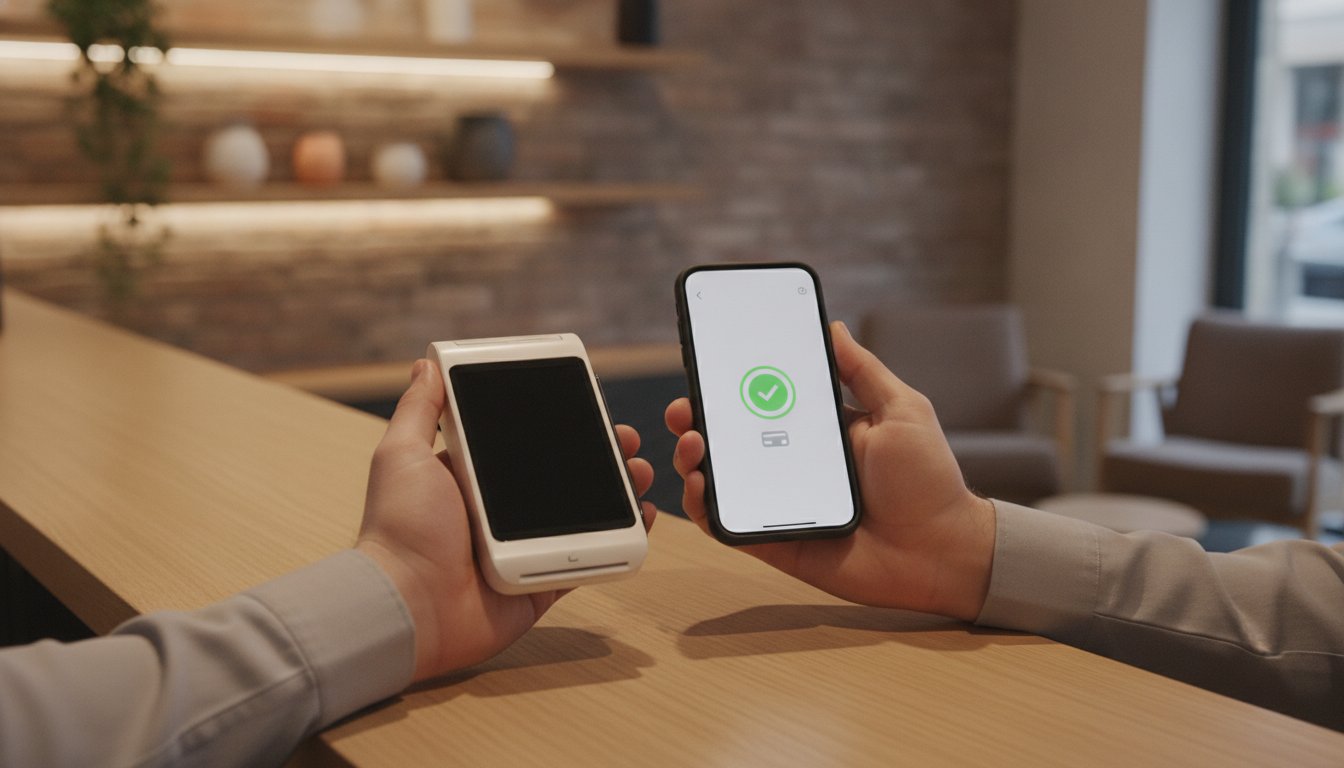
Tag: PDQ terminal

  • What Happens If a Card Machine Breaks? A Merchant’s Recovery Guide

    What Happens If a Card Machine Breaks? A Merchant’s Recovery Guide

    Imagine it is a busy Saturday afternoon and your shop is full of customers. A shopper reaches for their card, but your terminal screen remains stubbornly blank. As the queue grows, the atmosphere shifts from lively to uncomfortable. You are suddenly faced with the reality of what happens if a card machine breaks during your peak trading hours. It is a stressful moment that can lead to lost revenue and awkward conversations with frustrated diners or shoppers.

    We understand that hardware failure feels like a direct threat to your livelihood. With contactless payments now making up over 65% of in-person transactions, a faulty device is more than a minor glitch. This guide will show you how to maintain your revenue and resolve technical failures quickly. You will discover immediate alternative payment methods, such as Payment Links or Virtual Terminals, to keep your business moving. We also provide clear troubleshooting steps to get you back online and explain how to choose a more reliable hardware partner to ensure your peace of mind.

    Key Takeaways

    • Learn the specific button combination required to perform a soft reset and clear common terminal errors instantly.
    • Understand what happens if a card machine breaks and how to transition to a Virtual Terminal to process payments over the phone.
    • Establish a clear professional procedure for handling diners who do not carry cash when your system is down.
    • Recognise the hardware features, such as next-day replacement and multi-comms, that minimise the risk of long-term trade loss.

    Immediate Steps: What to Do When Your Card Machine Fails

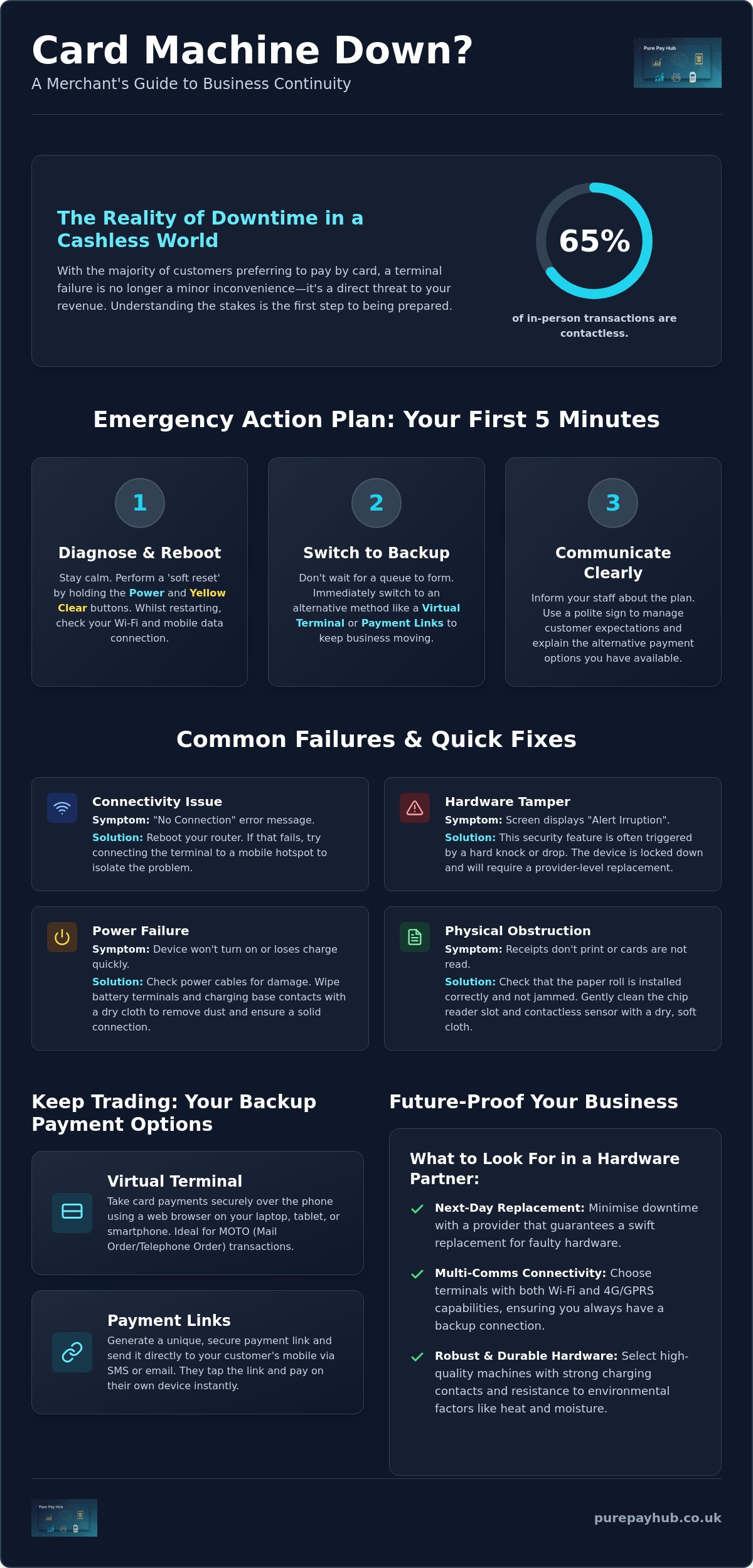
    A hardware failure in the middle of a busy shift is a merchant’s nightmare. Your priority is to maintain trade while you investigate the cause. Don’t panic. If you appear stressed, your customers will feel anxious too. Instead, take a breath and follow a logical recovery process. Many business owners worry about what happens if a card machine breaks, fearing they’ll have to turn everyone away and lose a day’s takings. In reality, most issues are temporary and fixable within minutes.

    Start with a ‘soft reset’. On most modern devices, you can do this by holding down the ‘Power’ button and the ‘Yellow Clear’ button simultaneously. This forces the software to reboot without wiping your settings. Whilst the unit restarts, check your router or mobile data signal. A lot of “broken” machines are actually just struggling with a dropped connection. If you’re using a mobile card machine, try switching between Wi-Fi and GPRS to see if the signal improves. Understanding what happens if a card machine breaks is the first step towards building a resilient business that can handle technical hiccups without stress.

    If the reset doesn’t work, switch to a backup method immediately. Don’t let a queue form. You can use a Virtual Terminal on your tablet or send Payment Links to customers’ mobiles to keep the money flowing. Tell your staff exactly what is happening. This ensures they relay the same message to every diner or shopper, preventing confusion and maintaining a professional atmosphere. Consistent communication is the best way to keep your customers on your side during a technical fault.

    Rapid Troubleshooting for Common Terminal Errors

    Sometimes the issue is physical rather than digital. Look at the screen for an ‘Alert Irruption’ message. This usually means the internal security triggers have been tripped, often due to a drop or a hard knock. A Payment terminal is designed to be highly secure; if it thinks it’s being tampered with, it will lock down. Also, check the simple things. Ensure the paper roll isn’t jammed and that the sensor is clean. For portable units, wipe the battery terminals with a dry cloth to remove any dust that might be blocking the charge.

    Communicating with Customers to Minimise Friction

    Transparency builds trust. Place a polite sign at the centre of your counter or the entrance. This manages expectations before people reach the till. If a customer is particularly inconvenienced, offer a small discount or a free item. It’s a small price to pay to protect your reputation. Explain that you have alternative payment options available whilst you fix the issue. Most people are happy to use a payment link or wait an extra minute if you handle the situation with professional calm and clarity.

    Understanding the Failure: Why Card Terminals Stop Working

    When a terminal stops processing, it is often difficult to tell if the device is truly broken or just temporarily confused. Distinguishing between a physical hardware fault and a local network outage is the first step in your recovery. A business continuity plan should include a checklist to identify these differences quickly. If your terminal displays a “No Connection” message, the fault likely lies with your router or internet service provider rather than the unit itself. Conversely, if the screen is dead or the chip reader fails to recognise any card, you are likely facing a hardware issue.

    Environmental factors also play a significant role in device longevity. High-heat environments, such as a professional kitchen, can cause internal components to expand and eventually fail. Similarly, moisture from damp counters or spillages can corrode delicate circuitry over time. Understanding what happens if a card machine breaks due to these factors helps you better position your equipment to avoid future downtime. If your terminal is constantly exposed to steam or grease, it will eventually require a provider-level replacement.

    Hardware Faults vs. Connectivity Issues

    Testing your device on a different network is the most effective way to rule out connectivity problems. If your Wi-Fi is down, try connecting your terminal to a mobile hotspot from your phone. If it processes the transaction successfully, your hardware is fine; your shop’s internet is the culprit. You should also inspect the charging base and power cables for visible wear. Frayed wires or bent pins in the charging port often lead to intermittent power loss, which merchants frequently mistake for a total system failure. Using a high-quality Portable Card Machine with robust charging contacts can mitigate these physical risks.

    Software Glitches and Security Lockouts

    Software is just as likely to cause a stoppage as hardware. Outdated firmware can lead to failed security “handshakes” between the terminal and the bank. This results in transaction approvals being blocked. As of March 31, 2025, PCI DSS v4.0 requirements became mandatory; many older terminals may lock out if they cannot meet these new security standards. You might also encounter ‘Pedal’ or ‘System’ errors on your screen. These are internal software flags that usually indicate the device’s encryption keys have been lost or corrupted. Understanding what happens if a card machine breaks involves recognising that security is paramount; in these cases, the machine will need to be re-imaged or replaced by your provider.

    Business Continuity: Alternative Ways to Accept Payments

    A broken physical terminal is a hurdle, not a dead end for your trade. It is a common misconception that your ability to take payments is tied solely to that single piece of plastic and silicon. Understanding what happens if a card machine breaks means knowing that your merchant account remains fully operational even when the hardware isn’t. You still have the authority to process transactions; you simply need a different interface to do so. Maintaining your revenue requires a shift from physical card-present transactions to digital alternatives that bypass the faulty unit entirely.

    Your first line of defence is often your existing EPOS system. Most modern setups allow you to record ‘offline’ or cash transactions to ensure your inventory and accounting remain accurate whilst you resolve the hardware issue. For essential business-to-business sales, you might also implement a manual ‘fallback’ procedure, such as issuing a pro-forma invoice. However, for retail and hospitality, the goal is to keep the checkout process as seamless as possible for the customer. By using the digital tools already included in your merchant package, you can prevent walk-away customers and maintain a steady cash flow.

    Utilising Secure Payment Links for Instant Settlement

    Payment Links are a professional way to handle a hardware failure without sending customers to a distant ATM. You can generate a secure link via your provider’s dashboard and send it directly to the customer’s mobile via SMS or email. The shopper then completes the transaction on their own device. This method is highly effective because it supports Apple Pay and Google Pay, which are increasingly popular. By 2026, over 5.2 billion people are expected to use digital wallets. Offering this familiar interface ensures your business stays modern and resilient. You still benefit from secure settlement and next-day access to funds, exactly as you would with a physical terminal.

    The Role of the Virtual Terminal in Emergencies

    The Virtual Terminal acts as your digital backup. It is a web-based portal that you can access from any laptop, tablet, or smartphone. When a customer is standing at your counter and your machine fails, you can manually enter their card details into this secure interface. This is technically a ‘Card Not Present’ transaction, but it allows you to complete the sale immediately. It is a vital tool for what happens if a card machine breaks, as it maintains full PCI compliance whilst bypassing the broken hardware. You don’t need to install new software; you simply log in and keep trading. To find reliable backup hardware from HJS Technology Ltd, read more about their range of mobile devices. This ensures that a technical glitch never turns into a lost business opportunity.
    What Happens If a Card Machine Breaks? A Merchant’s Recovery Guide

    Managing the ‘No Cash’ Scenario Professionally

    Handling a customer who cannot pay cash when your digital systems fail requires a blend of legal knowledge and social tact. In a retail environment, the solution is simple: the goods remain on the shelf. However, in hospitality, the situation is more complex. Understanding what happens if a card machine breaks after a diner has already finished their meal is critical for protecting your revenue without damaging your reputation. You must manage these moments with a calm, principled approach that prioritises the customer relationship whilst ensuring the debt is settled.

    Avoid the temptation to stick a scrawled “Card machine broken” sign on your front door using a marker pen and cardboard. This looks unprofessional and suggests a permanent failure rather than a temporary technical glitch. Instead, instruct your staff to inform customers of the situation before they order. If a failure occurs mid-service, be transparent. If a deferred payment is necessary, document the customer’s details securely. Use a formal form to record their name, address, and phone number; this signals that you take your business finances seriously and expect the same from them.

    Legal Rights and Customer Obligations in the UK

    In the UK, the legal position is clear. When a customer orders food or services, a contract is formed. The technical failure of a terminal does not void their obligation to pay. However, you cannot legally ‘detain’ a customer or prevent them from leaving; doing so could lead to accusations of false imprisonment. Your best course of action is to issue an invoice for later payment. This creates a formal paper trail that you can follow up if the payment isn’t made within a specified timeframe. Most customers are honest and will settle the bill via a bank transfer or a digital payment link once they are home.

    Implementing a Backup Payment Protocol

    Resilience is built through preparation. Every business should keep a spare Portable Card Machine or Mobile Card Machine fully charged and ready for use. If your primary Countertop Card Machine relies on a fixed phone line, ensure your backup uses a 4G SIM. This provides a completely independent connectivity path. Training is also vital. Your team should know how to pivot to these backups instantly. If a hardware failure is terminal and requires an immediate, unplanned investment in new EPOS systems, you might consider a Business Cash Advance. This allows you to secure the funds for new equipment quickly, with repayments based on your future card sales rather than fixed monthly amounts.

    Future-Proofing Your Business with Reliable Payment Hardware

    Investing in high-quality hardware is a strategic decision for any regional merchant. You should always prioritise stability over the lowest possible monthly rental fee. When you calculate the true cost of a lost Saturday afternoon, the price of a premium device becomes negligible. Knowing what happens if a card machine breaks allows you to prepare for the worst before it occurs. By choosing a partner that offers 24/7 UK-based technical support, you ensure that expert help is always a phone call away. This human connection is far more valuable than a generic chatbot when your revenue is on the line.

    Modern terminals should feature ‘multi-comms’ as standard. This technology allows the device to switch between Wi-Fi, GPRS, and Bluetooth automatically. If your shop’s broadband fails, your terminal simply pivots to the strongest mobile signal available. This level of cross-channel reliability is essential for maintaining a steady flow of trade. You should also evaluate the cost of downtime against the cost of a premium rental. A slightly higher monthly fee is a small price to pay for a system that stays online when your competitors’ systems fail.

    The Importance of Next-Day Hardware Replacement

    Trade does not wait for slow repairs. PurePay Hub prioritises rapid recovery by ensuring that next-day hardware replacement is a standard part of your service. We understand that every minute of downtime is a minute of lost profit. There is a significant difference between a contract that offers to ‘repair’ a unit and one that promises to ‘replace’ it. Repairs can take days or even weeks. A replacement arrives via rapid shipping, allowing you to plug in and start trading again almost immediately. For high-volume sites, we recommend keeping a backup Countertop Card Machine on-site to eliminate the risk of trade loss entirely.

    Choosing the Right Partner for Uptime

    Your payment partner should be an ally, not a distant financial institution. Look for transparent fee structures that do not penalise you for hardware failures or technical glitches. An integrated EPOS system can also provide an extra layer of reliability by syncing your sales data across multiple channels. This ensures that even if one device has an issue, your overall business records remain accurate and accessible. Reliability is built on honest partnerships and disciplined service standards. What happens if a card machine breaks depends entirely on the support network you have behind you.

    Protect your business from downtime with PurePay Hub’s reliable card machines

    Securing Your Business Against Technical Downtime

    Hardware failures don’t have to paralyse your trade. By mastering simple troubleshooting and utilising digital backups like Payment Links, you ensure that your business remains operational regardless of physical glitches. Understanding what happens if a card machine breaks allows you to lead your team with professional calm instead of reacting with panic. You now have the strategic tools to keep queues moving and protect your hard-earned reputation during peak trading hours.

    Long-term resilience depends on a partnership built on transparency and rapid response. Don’t wait for the next failure to secure your finances. Upgrade to a reliable card machine with 24/7 support from PurePay Hub. Our partners benefit from debit card rates starting from 0.3%, next-day access to funds, and the peace of mind that comes with expert UK-based technical support. Take control of your payments today and keep your business moving forward with confidence.

    Frequently Asked Questions

    What should I do immediately if my card machine stops working during a sale?

    You should stay calm and inform the customer that you are experiencing a temporary technical glitch. Perform a soft reset by holding the power and yellow clear buttons simultaneously to see if a reboot resolves the issue. If the machine remains unresponsive, switch to an alternative method like a Payment Link or Virtual Terminal immediately to keep the queue moving and avoid customer frustration.

    Can I still take payments manually if the chip reader is broken?

    You can still process transactions manually by using a Virtual Terminal on your tablet or smartphone. Whilst some older terminals allow you to key in card numbers directly, most modern providers prefer the security of a web-based portal for manual entry. This ensures you can safely take “Card Not Present” payments even when the physical chip reader on your device is faulty.

    How long does it typically take to get a replacement card machine in the UK?

    Replacement times vary between providers, but a professional partner should offer next-day delivery as standard. In the UK, receiving a new unit within 24 hours is the industry benchmark for reliable service. If your current provider takes several days or weeks to ship a replacement, your business is at risk of significant revenue loss and customer dissatisfaction.

    Is it legal to charge a customer later if my terminal fails?

    It is perfectly legal to request payment at a later date if your terminal fails after a service has been provided. When a customer consumes a meal or receives a service, a binding contract is formed. If you cannot process their card, you should issue a formal invoice for a bank transfer or send a secure Payment Link for them to settle once they are home.

    Will I be charged for a replacement card machine if it breaks through normal wear?

    Most providers will replace a terminal at no cost if the failure is due to a technical fault or normal wear and tear. However, you will likely be charged a replacement fee if the damage was caused by a liquid spillage, a significant drop, or hardware tampering. You should check your service contract to understand the specific terms regarding accidental damage and hardware support.

    Can I use my mobile phone as a card machine if my main terminal fails?

    You can use your mobile phone as a temporary backup by accessing your merchant portal’s Virtual Terminal or generating Payment Links for customers to scan. This is a highly effective way to manage what happens if a card machine breaks during a busy shift. It allows you to bypass the broken hardware entirely without needing to invest in extra equipment during an emergency.

    What are the most common reasons for a card machine to show an ‘Alert Irruption’ error?

    An ‘Alert Irruption’ message is a security feature triggered when the terminal’s internal anti-tamper sensors are activated. This usually happens if the machine is dropped, receives a hard knock, or if someone attempts to open the casing. Once this error appears, the device is permanently locked for security reasons and will require a full replacement from your hardware provider.

    How can I prevent my card machine from breaking in the first place?

    You can prevent most hardware failures by keeping your terminal clean and away from high-heat areas like ovens or steamers. Regularly wipe the battery contacts with a dry cloth and ensure the charging cable is not frayed or tightly coiled. Using a protective silicone case can also absorb the impact of accidental drops, significantly extending the lifespan of your Portable Card Machine.
  • Troubleshooting Card Machine Connection Issues: The Complete UK Business Guide (2026)

    Troubleshooting Card Machine Connection Issues: The Complete UK Business Guide (2026)

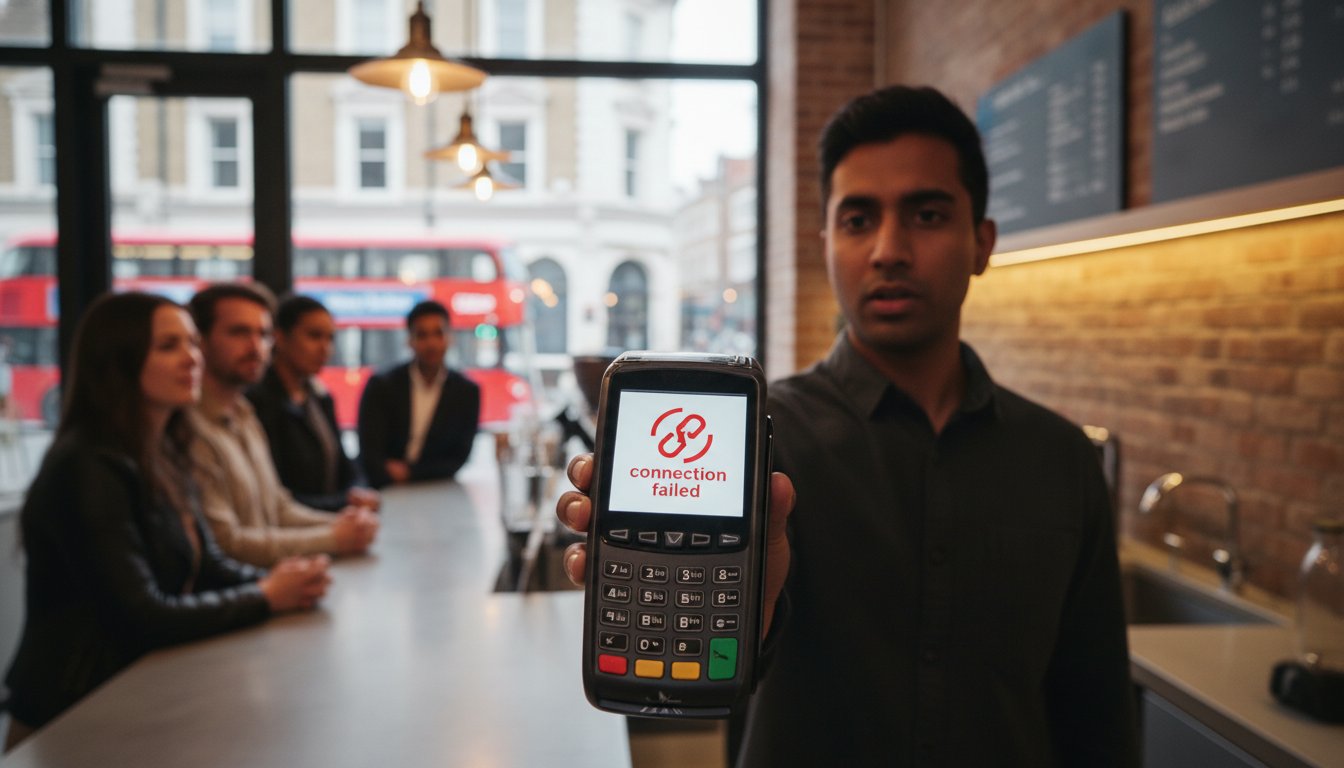
    UK retail and hospitality businesses lost an estimated £1.6 billion in 2025 due to payment system failures. You likely know the sinking feeling when a queue builds up and your screen displays a confusing “Connection Error” just as a customer reaches for their card. It’s frustrating to watch revenue slip away because of technical glitches, but mastering the art of troubleshooting card machine connection issues can save your trade.

    We understand that your business relies on seamless transactions; after all, debit cards now account for 80% of all UK payments. This guide provides the clear, no-nonsense steps you need to diagnose and fix connectivity faults instantly. You’ll learn how to restore your service without waiting hours for bank support and how to distinguish between a simple network drop and a hardware failure. We also explain how to stay compliant with the latest PCI DSS 4.0 standards to keep your local business secure and reliable.

    Key Takeaways

    • Identify why modern UK businesses must move away from analogue-dependent terminals to maintain reliable cash flow and customer trust.
    • Master the art of decoding error messages to quickly distinguish between local Wi-Fi faults and mobile SIM signal drops.
    • Implement a logical 5-step process for troubleshooting card machine connection issues, including the 30-second power cycle to restore service instantly.
    • Compare the reliability of Ethernet, Wi-Fi, and 4G roaming SIMs to ensure your hardware choice matches your specific business environment.
    • Discover how automatic failover technology can protect your revenue by switching seamlessly between networks during a local outage.

    Why Your Card Machine Keeps Losing Connection: Common UK Culprits

    Connectivity is the heartbeat of your business. When your terminal fails, queues grow and revenue stops. Effective troubleshooting card machine connection issues requires a clear understanding of why these drops happen in the first place. Often, the cause is a mix of ageing infrastructure and local network strain. You need to know if the fault lies with your Internet Service Provider (ISP), the payment gateway, or the hardware itself.

    If your Wi-Fi works on your smartphone but the terminal remains offline, the issue is likely the payment gateway or the device. Conversely, if no devices can connect, your ISP is the culprit. Hardware age is a frequent but overlooked factor. Over time, internal capacitors degrade and Wi-Fi antennas lose their sensitivity. If your device hasn’t been updated to the latest firmware, it may struggle to communicate with modern routers that use newer encryption standards. A modern payment terminal requires a stable, high-speed data exchange to process transactions securely. Keeping your hardware current is the first step in avoiding the headache of troubleshooting card machine connection issues during a busy shift.

    The Impact of the UK Digital Switchover

    The UK has moved away from traditional analogue infrastructure. Older machines that rely on Public Switched Telephone Network (PSTN) lines are now effectively obsolete. These phone-line connections can’t provide the “always-on” reliability required for 2026 business standards. Modern countertop units must use IP-based (Internet Protocol) connectivity via Ethernet or Wi-Fi. Older hardware often lacks the processing power to handle the complex security handshakes mandated by PCI DSS 4.0, leading to frequent timeouts and failed connections.

    Network Congestion in Retail Environments

    Your local environment is often the biggest hurdle. Many business owners provide guest Wi-Fi for customers, but this can throttle the bandwidth your terminal needs. During a “Friday Night Peak,” the surge in connected devices can cause your signal to drop exactly when you’re busiest. Interference is another silent killer. On a crowded high street, Bluetooth signals from neighbouring shops or even kitchen equipment can disrupt the wireless frequency your portable machine uses. Switching to a dedicated frequency or a wired Ethernet connection for fixed points is often the simplest fix for these environmental gremlins.

    Decoding Common Card Machine Error Messages

    Error codes are your first diagnostic tool, not just a nuisance. They provide the specific data needed for troubleshooting card machine connection issues. Instead of guessing why a payment failed, look directly at the screen for a specific prompt. These messages act as a map, telling you exactly where the digital handshake failed.

    “No Signal” or “No Service” typically points to a physical environment problem. For a mobile card machine, this means the roaming SIM cannot find a local mast. For a countertop unit, it suggests the Wi-Fi or Ethernet signal has dropped entirely. “Host Busy” or “Connection Timed Out” shifts the blame away from your shop. These messages mean your terminal successfully reached the internet, but the payment gateway or bank server is struggling to respond. This is usually temporary and requires a few minutes of patience rather than a hardware reset.

    One code you never want to see is “Alert Irruption.” This is a critical security feature mandated by the Payment Card Industry Data Security Standard (PCI DSS). It triggers when the terminal detects physical tampering or a significant internal hardware failure. Once this appears, the machine is permanently disabled to protect cardholder data. You cannot fix this through software; you will need a physical replacement from your provider to resume trading.

    Network vs. Hardware Errors

    A “Comms Error” usually signals a local network configuration fault. It often happens if your router’s firewall is too restrictive or if an IP conflict exists. In contrast, “Terminal Blocked” is rarely about the wire. It’s a security flag on your merchant account, often triggered by unusual activity or an expired compliance certificate. If you still use a digital VoIP adapter for an older unit, “Line Busy” suggests the adapter is failing to convert the digital signal correctly. If these errors persist, upgrading to modern Portable Card Machines with built-in 4G failover can eliminate these local bottlenecks.

    Offline Mode: “Store and Forward” Explained

    When connectivity fails, some terminals offer “Offline Mode” or “Store and Forward.” Your screen might say “Offline Transaction Accepted.” This allows you to keep the queue moving, but it carries risk. The machine stores the card data and attempts to process it once the connection returns. This is a vital fallback when troubleshooting card machine connection issues during peak hours.

    Because the transaction isn’t authorised in real-time, you won’t know if the card has sufficient funds or is reported stolen until later. If the authorisation fails when you reconnect, you lose that revenue. To clear the “Pending Transactions” queue, ensure your signal is strong and select the “Reconcile” or “End of Day” function. This pushes all stored data to the payment gateway for final processing and confirms your cash flow.

    Comparing Connectivity Methods: Ethernet vs. Wi-Fi vs. Mobile SIM

    Your choice of connection dictates your uptime percentage and transaction speed. If you operate from a fixed retail centre, Ethernet is the gold standard for your countertop card machine. It provides a dedicated, physical path for data that bypasses the fluctuations of wireless signals. Reliability is the primary goal here. A wired connection is almost immune to the environmental interference that plagues wireless setups. It ensures that the handshake between your terminal and the payment gateway remains unbroken.

    Whilst Wi-Fi offers essential flexibility for hospitality, it’s often prone to “dead zones” and signal drops. In busy restaurants or pubs, Bluetooth base-station interference is a common culprit that many guides overlook. When multiple wireless devices compete for the same frequency, your terminal can lose its connection to the server. Understanding the UK’s card payment systems helps merchants realise that stability isn’t just a technical preference; it’s a regulatory necessity for maintaining consistent service. If you find yourself constantly troubleshooting card machine connection issues, the physical method of connection is often the first place to look.

    The Power of Multi-Network Roaming SIMs

    For portable and mobile card machines, a standard consumer SIM is insufficient. Professional payment hardware relies on multi-network roaming SIMs. These intelligent chips don’t stick to one provider. Instead, they scan for the strongest available signal amongst O2, EE, and Vodafone. If one network suffers an outage, the machine switches to another automatically. This prevents you from being stranded in a signal blackspot during a busy shift. Whilst mobile data carries a specific monthly cost, the benefit of never missing a sale far outweighs the small overhead compared to the risk of total downtime.

    Optimising Your In-Store Network

    You can significantly reduce the need for troubleshooting card machine connection issues by segregating your digital traffic. Always put your card machines on a dedicated VLAN (Virtual Local Area Network). This ensures your payment data isn’t competing for bandwidth with guest Wi-Fi or your back-office streaming services. In larger venues, mesh Wi-Fi or signal boosters are essential to maintain a strong signal across the entire floor. You should also consider a “failover” system. This setup ensures that if your primary fixed-line broadband fails, your hardware automatically switches to a 4G backup. It acts as a silent insurance policy for your daily revenue.

    The Master 5-Step Troubleshooting Guide for UK Merchants

    When your queue is out the door, you don’t have time for long wait times for bank support. Following a logical sequence is the fastest way to restore service. Most connection faults are temporary glitches that you can resolve in under five minutes. Use this master 5-step guide for troubleshooting card machine connection issues to get your payments back on track.

    Step 1: The Power Cycle. Switch the unit off. Wait exactly 30 seconds. This duration is vital because it allows internal capacitors to discharge completely, clearing any lingering software loops. Step 2: Physical Layer Check. Inspect every connection. A loose Ethernet cable or a poorly seated battery can mimic a network outage. Step 3: Network Refresh. Disconnect from your Wi-Fi and re-enter the credentials. This forces the router to assign a fresh DHCP lease to the terminal, clearing IP conflicts. Step 4: Software Update. Perform a manual “Logon” or “System Initialisation” from the terminal menu. This forces the hardware to verify its security certificates against the payment gateway, ensuring you meet the latest PCI DSS 4.0 requirements. Step 5: Isolation Test. Try connecting the machine to a mobile hotspot to rule out your local ISP as the source of the fault.

    If your current hardware fails these tests frequently, it’s time to upgrade to reliable Countertop Card Machines built for the modern UK high street.

    Step 1 & 2: The Physical Fundamentals

    Physical wear is a silent revenue killer. If you use a portable card machine, remove the back cover and unseat the roaming SIM card. Use a dry, lint-free cloth to clean the gold contacts before re-inserting it firmly. For countertop units using Power-over-Ethernet (PoE), check the “comms” cable for fraying or sharp bends. Low voltage caused by damaged wires can lead to intermittent signal drops. Finally, ensure the charging base contacts are free from dust or grease; a weak charge often results in a weak wireless antenna performance.

    Advanced Diagnostic: The Hotspot Test

    The hotspot test is the most effective way to identify a local network failure. Turn on the personal hotspot on your smartphone and connect your card machine to it. If the terminal processes a test transaction immediately, your business router or firewall is the culprit. This proves the hardware is functional and the issue lies with your ISP or internal security settings. You can then tell your IT provider exactly what you’ve discovered. Providing this specific data helps them bypass basic scripts and implement a permanent fix for your network configuration much faster.

    Future-Proofing Your Payments with PurePay Hub Hardware

    Reliability shouldn’t be a luxury for your business. If you find yourself constantly troubleshooting card machine connection issues, your current hardware is likely failing to meet the demands of a modern retail environment. PurePay Hub provides a different approach by focusing on resilient technology that keeps your queue moving. We position ourselves as a fair partner to regional business owners, ensuring your payment system is a source of stability rather than stress.

    Our terminals are engineered specifically for the rigours of the modern UK high street. They feature automatic failover technology as standard. If your shop’s Wi-Fi drops, the machine seamlessly switches to a 4G roaming SIM without interrupting the transaction. You won’t even notice the transition. This built-in redundancy ensures you never miss a sale due to local network instability or broadband outages. It’s a no-nonsense solution designed to protect your revenue at all times.

    We also understand that cash flow is your lifeline. Even if you experience a brief connection drop during the day, our next-day funding ensures your money reaches your account without unnecessary delays. If you do encounter a complex fault, you won’t be stuck in a generic call centre queue. You’ll talk directly to a UK-based expert who understands your specific terminal and the unique challenges of your local business community. This direct partnership is what sets us apart from distant financial institutions.

    The PurePay Hub Advantage

    We take the technical burden off your shoulders from day one. Every PurePay Hub terminal arrives pre-configured for your specific needs. We organise the network settings before shipping, making it a true plug-and-play solution for your storefront. With low rates starting from 0.3%, more of your hard-earned profit stays exactly where it belongs. Our 24/7 technical support is always available to guide you through any unexpected hurdles, ensuring that troubleshooting card machine connection issues becomes a thing of the past.

    Choosing the Right Machine for Your Environment

    Selecting the right tool for the job is essential for maintaining high uptime percentages. Our countertop units provide reliable, fixed-point service for traditional retail environments where Ethernet stability is preferred. If you run a restaurant or pub, our portable units offer extended Wi-Fi range and long battery life for seamless table-side service. For tradespeople and delivery drivers on the move, our mobile units with global roaming ensure you can take secure payments anywhere in the UK.

    Don’t let technical glitches or opaque support practices dictate your daily revenue. Upgrade to a reliable PurePay Hub card machine today and experience the clarity of a fair, professional payment partnership that values your time as much as you do.

    Secure Your Trade with Resilient Payments

    Connectivity is the lifeline of your cash flow. We’ve explored how identifying local network bottlenecks and decoding specific error messages can save your trade during peak hours. Whilst mastering the art of troubleshooting card machine connection issues is a vital skill for any merchant, the ultimate goal is to eliminate the need for it entirely. By choosing hardware with automatic failover and segregating your digital traffic, you move from a state of frustration to one of informed confidence.

    Don’t let outdated terminals or opaque support structures hold your business back. You deserve a payment partner that prioritises transparency and uptime as much as you do. With debit rates starting from 0.3% and next-day funding as standard, our service is designed to keep your revenue moving. You’ll also benefit from direct access to UK-based technical support whenever you need a straight answer.

    Switch to PurePay Hub for reliable, UK-supported card machines and get back to what you do best: serving your local customers. Your business is built on hard work; your payment system should be too.

    Frequently Asked Questions

    Why is my card machine saying “No Connection” but my Wi-Fi is working?

    Your terminal likely faces a firewall restriction or an IP address conflict. Even if other devices connect to the internet, your card machine requires specific ports to be open to reach the payment gateway. You should check your router settings to ensure the terminal isn’t being blocked by a security protocol or try assigning it a static IP to prevent future drops.

    How do I reset my card machine without losing my daily totals?

    You can perform a soft reset by holding down the power button or using the “Restart” option in the settings menu. This action clears the temporary cache without affecting your stored batch totals or “Store and Forward” transactions. Avoid selecting “Factory Reset” or “Clear All Data” unless specifically instructed by your provider, as these will wipe your daily records.

    Can I still take payments if my business broadband goes down?

    Yes, provided your hardware has a roaming SIM or an “Offline Mode” feature. Mobile card machines will switch to a 4G or 5G signal automatically when the broadband fails. If you use a countertop unit without a SIM, you may be able to process transactions in “Store and Forward” mode, though these aren’t authorised in real-time and carry a higher risk of later decline.

    What does “Alert Irruption” mean and can I fix it myself?

    This is a terminal-locking security failure that you cannot fix yourself. It triggers when the device’s internal sensors detect physical tampering or a significant hardware fault. Because this is a protective measure for cardholder data, the machine is permanently disabled. You must contact your provider to arrange for a replacement unit to be shipped to your business.

    How often should I update the software on my payment terminal?

    You should allow your machine to update whenever a prompt appears, which usually happens during the “End of Day” process. Regular updates are essential for troubleshooting card machine connection issues and ensuring your business remains compliant with PCI DSS 4.0. Most modern units perform these updates automatically overnight to minimise disruption to your trading hours.

    Why does my portable card machine lose signal at the back of my shop?

    Physical obstructions like thick stone walls, metal shelving, or even kitchen equipment often cause “dead zones” in your premises. Wireless signals struggle to penetrate dense materials, leading to intermittent connectivity. If you frequently lose signal, consider installing a mesh Wi-Fi system or switching to a terminal that uses a multi-network roaming SIM for better coverage.

    Will my card machine work with a 5G network in 2026?

    Yes, modern payment hardware is designed to be forward-compatible with the latest UK mobile infrastructure. As 5G becomes the standard across the country, your terminal will prioritise the fastest available data network. This ensures that your transaction speeds remain high and your connection stays stable, even in crowded high-street environments where 4G bands might be congested.

    How do I check if the payment gateway provider is having an outage?

    The fastest way is to check the official status page of your payment provider or use a service like Downdetector. If your local internet is working on other devices but the terminal fails the “Host Connection” test, the issue is likely at the gateway level. In these instances, you simply have to wait for the provider to restore their central services.