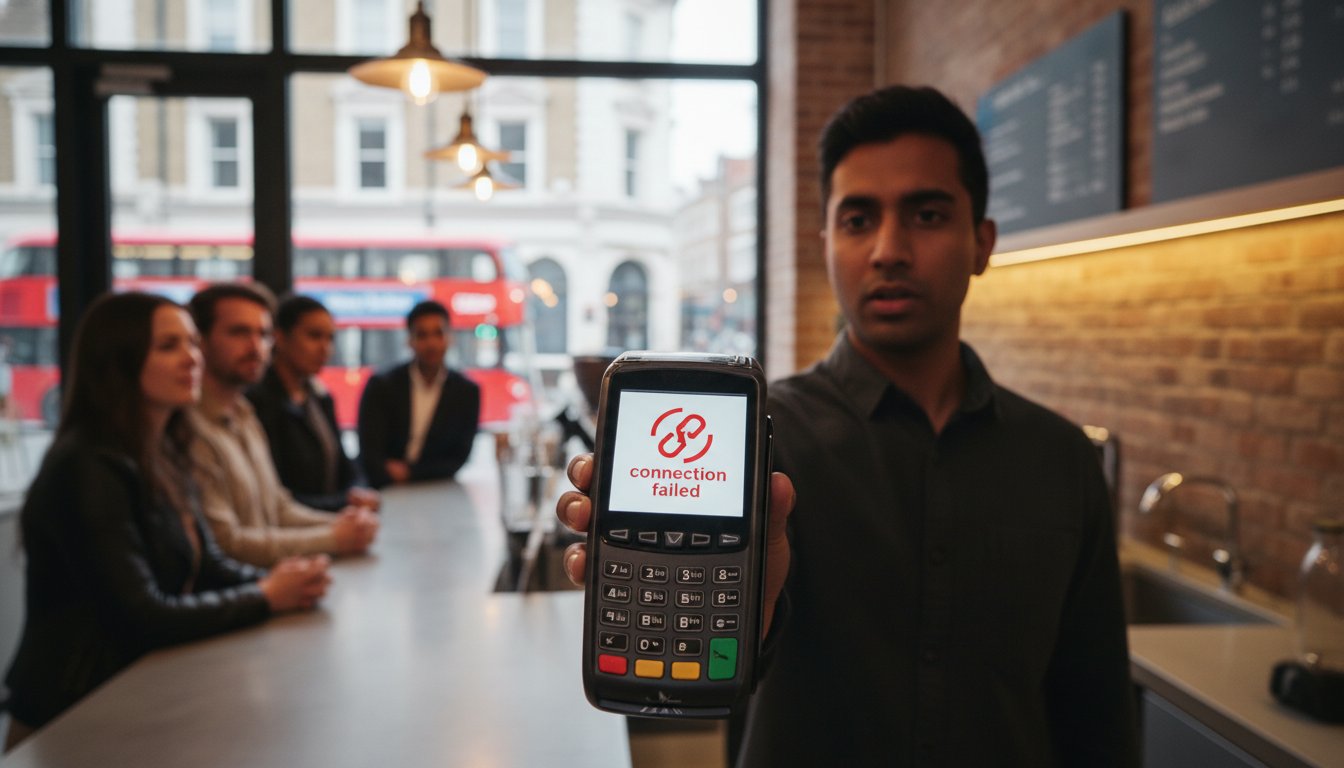
UK retail and hospitality businesses lost an estimated £1.6 billion in 2025 due to payment system failures. You likely know the sinking feeling when a queue builds up and your screen displays a confusing “Connection Error” just as a customer reaches for their card. It’s frustrating to watch revenue slip away because of technical glitches, but mastering the art of troubleshooting card machine connection issues can save your trade.
We understand that your business relies on seamless transactions; after all, debit cards now account for 80% of all UK payments. This guide provides the clear, no-nonsense steps you need to diagnose and fix connectivity faults instantly. You’ll learn how to restore your service without waiting hours for bank support and how to distinguish between a simple network drop and a hardware failure. We also explain how to stay compliant with the latest PCI DSS 4.0 standards to keep your local business secure and reliable.
Key Takeaways
- Identify why modern UK businesses must move away from analogue-dependent terminals to maintain reliable cash flow and customer trust.
- Master the art of decoding error messages to quickly distinguish between local Wi-Fi faults and mobile SIM signal drops.
- Implement a logical 5-step process for troubleshooting card machine connection issues, including the 30-second power cycle to restore service instantly.
- Compare the reliability of Ethernet, Wi-Fi, and 4G roaming SIMs to ensure your hardware choice matches your specific business environment.
- Discover how automatic failover technology can protect your revenue by switching seamlessly between networks during a local outage.
Why Your Card Machine Keeps Losing Connection: Common UK Culprits
Connectivity is the heartbeat of your business. When your terminal fails, queues grow and revenue stops. Effective troubleshooting card machine connection issues requires a clear understanding of why these drops happen in the first place. Often, the cause is a mix of ageing infrastructure and local network strain. You need to know if the fault lies with your Internet Service Provider (ISP), the payment gateway, or the hardware itself.
If your Wi-Fi works on your smartphone but the terminal remains offline, the issue is likely the payment gateway or the device. Conversely, if no devices can connect, your ISP is the culprit. Hardware age is a frequent but overlooked factor. Over time, internal capacitors degrade and Wi-Fi antennas lose their sensitivity. If your device hasn’t been updated to the latest firmware, it may struggle to communicate with modern routers that use newer encryption standards. A modern payment terminal requires a stable, high-speed data exchange to process transactions securely. Keeping your hardware current is the first step in avoiding the headache of troubleshooting card machine connection issues during a busy shift.
The Impact of the UK Digital Switchover
The UK has moved away from traditional analogue infrastructure. Older machines that rely on Public Switched Telephone Network (PSTN) lines are now effectively obsolete. These phone-line connections can’t provide the “always-on” reliability required for 2026 business standards. Modern countertop units must use IP-based (Internet Protocol) connectivity via Ethernet or Wi-Fi. Older hardware often lacks the processing power to handle the complex security handshakes mandated by PCI DSS 4.0, leading to frequent timeouts and failed connections.
Network Congestion in Retail Environments
Your local environment is often the biggest hurdle. Many business owners provide guest Wi-Fi for customers, but this can throttle the bandwidth your terminal needs. During a “Friday Night Peak,” the surge in connected devices can cause your signal to drop exactly when you’re busiest. Interference is another silent killer. On a crowded high street, Bluetooth signals from neighbouring shops or even kitchen equipment can disrupt the wireless frequency your portable machine uses. Switching to a dedicated frequency or a wired Ethernet connection for fixed points is often the simplest fix for these environmental gremlins.
Decoding Common Card Machine Error Messages
Error codes are your first diagnostic tool, not just a nuisance. They provide the specific data needed for troubleshooting card machine connection issues. Instead of guessing why a payment failed, look directly at the screen for a specific prompt. These messages act as a map, telling you exactly where the digital handshake failed.
“No Signal” or “No Service” typically points to a physical environment problem. For a mobile card machine, this means the roaming SIM cannot find a local mast. For a countertop unit, it suggests the Wi-Fi or Ethernet signal has dropped entirely. “Host Busy” or “Connection Timed Out” shifts the blame away from your shop. These messages mean your terminal successfully reached the internet, but the payment gateway or bank server is struggling to respond. This is usually temporary and requires a few minutes of patience rather than a hardware reset.
One code you never want to see is “Alert Irruption.” This is a critical security feature mandated by the Payment Card Industry Data Security Standard (PCI DSS). It triggers when the terminal detects physical tampering or a significant internal hardware failure. Once this appears, the machine is permanently disabled to protect cardholder data. You cannot fix this through software; you will need a physical replacement from your provider to resume trading.
Network vs. Hardware Errors
A “Comms Error” usually signals a local network configuration fault. It often happens if your router’s firewall is too restrictive or if an IP conflict exists. In contrast, “Terminal Blocked” is rarely about the wire. It’s a security flag on your merchant account, often triggered by unusual activity or an expired compliance certificate. If you still use a digital VoIP adapter for an older unit, “Line Busy” suggests the adapter is failing to convert the digital signal correctly. If these errors persist, upgrading to modern Portable Card Machines with built-in 4G failover can eliminate these local bottlenecks.
Offline Mode: “Store and Forward” Explained
When connectivity fails, some terminals offer “Offline Mode” or “Store and Forward.” Your screen might say “Offline Transaction Accepted.” This allows you to keep the queue moving, but it carries risk. The machine stores the card data and attempts to process it once the connection returns. This is a vital fallback when troubleshooting card machine connection issues during peak hours.
Because the transaction isn’t authorised in real-time, you won’t know if the card has sufficient funds or is reported stolen until later. If the authorisation fails when you reconnect, you lose that revenue. To clear the “Pending Transactions” queue, ensure your signal is strong and select the “Reconcile” or “End of Day” function. This pushes all stored data to the payment gateway for final processing and confirms your cash flow.
Comparing Connectivity Methods: Ethernet vs. Wi-Fi vs. Mobile SIM
Your choice of connection dictates your uptime percentage and transaction speed. If you operate from a fixed retail centre, Ethernet is the gold standard for your countertop card machine. It provides a dedicated, physical path for data that bypasses the fluctuations of wireless signals. Reliability is the primary goal here. A wired connection is almost immune to the environmental interference that plagues wireless setups. It ensures that the handshake between your terminal and the payment gateway remains unbroken.
Whilst Wi-Fi offers essential flexibility for hospitality, it’s often prone to “dead zones” and signal drops. In busy restaurants or pubs, Bluetooth base-station interference is a common culprit that many guides overlook. When multiple wireless devices compete for the same frequency, your terminal can lose its connection to the server. Understanding the UK’s card payment systems helps merchants realise that stability isn’t just a technical preference; it’s a regulatory necessity for maintaining consistent service. If you find yourself constantly troubleshooting card machine connection issues, the physical method of connection is often the first place to look.
The Power of Multi-Network Roaming SIMs
For portable and mobile card machines, a standard consumer SIM is insufficient. Professional payment hardware relies on multi-network roaming SIMs. These intelligent chips don’t stick to one provider. Instead, they scan for the strongest available signal amongst O2, EE, and Vodafone. If one network suffers an outage, the machine switches to another automatically. This prevents you from being stranded in a signal blackspot during a busy shift. Whilst mobile data carries a specific monthly cost, the benefit of never missing a sale far outweighs the small overhead compared to the risk of total downtime.
Optimising Your In-Store Network
You can significantly reduce the need for troubleshooting card machine connection issues by segregating your digital traffic. Always put your card machines on a dedicated VLAN (Virtual Local Area Network). This ensures your payment data isn’t competing for bandwidth with guest Wi-Fi or your back-office streaming services. In larger venues, mesh Wi-Fi or signal boosters are essential to maintain a strong signal across the entire floor. You should also consider a “failover” system. This setup ensures that if your primary fixed-line broadband fails, your hardware automatically switches to a 4G backup. It acts as a silent insurance policy for your daily revenue.
The Master 5-Step Troubleshooting Guide for UK Merchants
When your queue is out the door, you don’t have time for long wait times for bank support. Following a logical sequence is the fastest way to restore service. Most connection faults are temporary glitches that you can resolve in under five minutes. Use this master 5-step guide for troubleshooting card machine connection issues to get your payments back on track.
Step 1: The Power Cycle. Switch the unit off. Wait exactly 30 seconds. This duration is vital because it allows internal capacitors to discharge completely, clearing any lingering software loops. Step 2: Physical Layer Check. Inspect every connection. A loose Ethernet cable or a poorly seated battery can mimic a network outage. Step 3: Network Refresh. Disconnect from your Wi-Fi and re-enter the credentials. This forces the router to assign a fresh DHCP lease to the terminal, clearing IP conflicts. Step 4: Software Update. Perform a manual “Logon” or “System Initialisation” from the terminal menu. This forces the hardware to verify its security certificates against the payment gateway, ensuring you meet the latest PCI DSS 4.0 requirements. Step 5: Isolation Test. Try connecting the machine to a mobile hotspot to rule out your local ISP as the source of the fault.
If your current hardware fails these tests frequently, it’s time to upgrade to reliable Countertop Card Machines built for the modern UK high street.
Step 1 & 2: The Physical Fundamentals
Physical wear is a silent revenue killer. If you use a portable card machine, remove the back cover and unseat the roaming SIM card. Use a dry, lint-free cloth to clean the gold contacts before re-inserting it firmly. For countertop units using Power-over-Ethernet (PoE), check the “comms” cable for fraying or sharp bends. Low voltage caused by damaged wires can lead to intermittent signal drops. Finally, ensure the charging base contacts are free from dust or grease; a weak charge often results in a weak wireless antenna performance.
Advanced Diagnostic: The Hotspot Test
The hotspot test is the most effective way to identify a local network failure. Turn on the personal hotspot on your smartphone and connect your card machine to it. If the terminal processes a test transaction immediately, your business router or firewall is the culprit. This proves the hardware is functional and the issue lies with your ISP or internal security settings. You can then tell your IT provider exactly what you’ve discovered. Providing this specific data helps them bypass basic scripts and implement a permanent fix for your network configuration much faster.
Future-Proofing Your Payments with PurePay Hub Hardware
Reliability shouldn’t be a luxury for your business. If you find yourself constantly troubleshooting card machine connection issues, your current hardware is likely failing to meet the demands of a modern retail environment. PurePay Hub provides a different approach by focusing on resilient technology that keeps your queue moving. We position ourselves as a fair partner to regional business owners, ensuring your payment system is a source of stability rather than stress.
Our terminals are engineered specifically for the rigours of the modern UK high street. They feature automatic failover technology as standard. If your shop’s Wi-Fi drops, the machine seamlessly switches to a 4G roaming SIM without interrupting the transaction. You won’t even notice the transition. This built-in redundancy ensures you never miss a sale due to local network instability or broadband outages. It’s a no-nonsense solution designed to protect your revenue at all times.
We also understand that cash flow is your lifeline. Even if you experience a brief connection drop during the day, our next-day funding ensures your money reaches your account without unnecessary delays. If you do encounter a complex fault, you won’t be stuck in a generic call centre queue. You’ll talk directly to a UK-based expert who understands your specific terminal and the unique challenges of your local business community. This direct partnership is what sets us apart from distant financial institutions.
The PurePay Hub Advantage
We take the technical burden off your shoulders from day one. Every PurePay Hub terminal arrives pre-configured for your specific needs. We organise the network settings before shipping, making it a true plug-and-play solution for your storefront. With low rates starting from 0.3%, more of your hard-earned profit stays exactly where it belongs. Our 24/7 technical support is always available to guide you through any unexpected hurdles, ensuring that troubleshooting card machine connection issues becomes a thing of the past.
Choosing the Right Machine for Your Environment
Selecting the right tool for the job is essential for maintaining high uptime percentages. Our countertop units provide reliable, fixed-point service for traditional retail environments where Ethernet stability is preferred. If you run a restaurant or pub, our portable units offer extended Wi-Fi range and long battery life for seamless table-side service. For tradespeople and delivery drivers on the move, our mobile units with global roaming ensure you can take secure payments anywhere in the UK.
Don’t let technical glitches or opaque support practices dictate your daily revenue. Upgrade to a reliable PurePay Hub card machine today and experience the clarity of a fair, professional payment partnership that values your time as much as you do.
Secure Your Trade with Resilient Payments
Connectivity is the lifeline of your cash flow. We’ve explored how identifying local network bottlenecks and decoding specific error messages can save your trade during peak hours. Whilst mastering the art of troubleshooting card machine connection issues is a vital skill for any merchant, the ultimate goal is to eliminate the need for it entirely. By choosing hardware with automatic failover and segregating your digital traffic, you move from a state of frustration to one of informed confidence.
Don’t let outdated terminals or opaque support structures hold your business back. You deserve a payment partner that prioritises transparency and uptime as much as you do. With debit rates starting from 0.3% and next-day funding as standard, our service is designed to keep your revenue moving. You’ll also benefit from direct access to UK-based technical support whenever you need a straight answer.
Switch to PurePay Hub for reliable, UK-supported card machines and get back to what you do best: serving your local customers. Your business is built on hard work; your payment system should be too.
Frequently Asked Questions
Why is my card machine saying “No Connection” but my Wi-Fi is working?
Your terminal likely faces a firewall restriction or an IP address conflict. Even if other devices connect to the internet, your card machine requires specific ports to be open to reach the payment gateway. You should check your router settings to ensure the terminal isn’t being blocked by a security protocol or try assigning it a static IP to prevent future drops.
How do I reset my card machine without losing my daily totals?
You can perform a soft reset by holding down the power button or using the “Restart” option in the settings menu. This action clears the temporary cache without affecting your stored batch totals or “Store and Forward” transactions. Avoid selecting “Factory Reset” or “Clear All Data” unless specifically instructed by your provider, as these will wipe your daily records.
Can I still take payments if my business broadband goes down?
Yes, provided your hardware has a roaming SIM or an “Offline Mode” feature. Mobile card machines will switch to a 4G or 5G signal automatically when the broadband fails. If you use a countertop unit without a SIM, you may be able to process transactions in “Store and Forward” mode, though these aren’t authorised in real-time and carry a higher risk of later decline.
What does “Alert Irruption” mean and can I fix it myself?
This is a terminal-locking security failure that you cannot fix yourself. It triggers when the device’s internal sensors detect physical tampering or a significant hardware fault. Because this is a protective measure for cardholder data, the machine is permanently disabled. You must contact your provider to arrange for a replacement unit to be shipped to your business.
How often should I update the software on my payment terminal?
You should allow your machine to update whenever a prompt appears, which usually happens during the “End of Day” process. Regular updates are essential for troubleshooting card machine connection issues and ensuring your business remains compliant with PCI DSS 4.0. Most modern units perform these updates automatically overnight to minimise disruption to your trading hours.
Why does my portable card machine lose signal at the back of my shop?
Physical obstructions like thick stone walls, metal shelving, or even kitchen equipment often cause “dead zones” in your premises. Wireless signals struggle to penetrate dense materials, leading to intermittent connectivity. If you frequently lose signal, consider installing a mesh Wi-Fi system or switching to a terminal that uses a multi-network roaming SIM for better coverage.
Will my card machine work with a 5G network in 2026?
Yes, modern payment hardware is designed to be forward-compatible with the latest UK mobile infrastructure. As 5G becomes the standard across the country, your terminal will prioritise the fastest available data network. This ensures that your transaction speeds remain high and your connection stays stable, even in crowded high-street environments where 4G bands might be congested.
How do I check if the payment gateway provider is having an outage?
The fastest way is to check the official status page of your payment provider or use a service like Downdetector. If your local internet is working on other devices but the terminal fails the “Host Connection” test, the issue is likely at the gateway level. In these instances, you simply have to wait for the provider to restore their central services.
Leave a Reply